

May 7 to May 13, 2026
Your people, grouped into clusters on your profile
My people now shows friends in tidy groups, and reminders reach you even without signal.
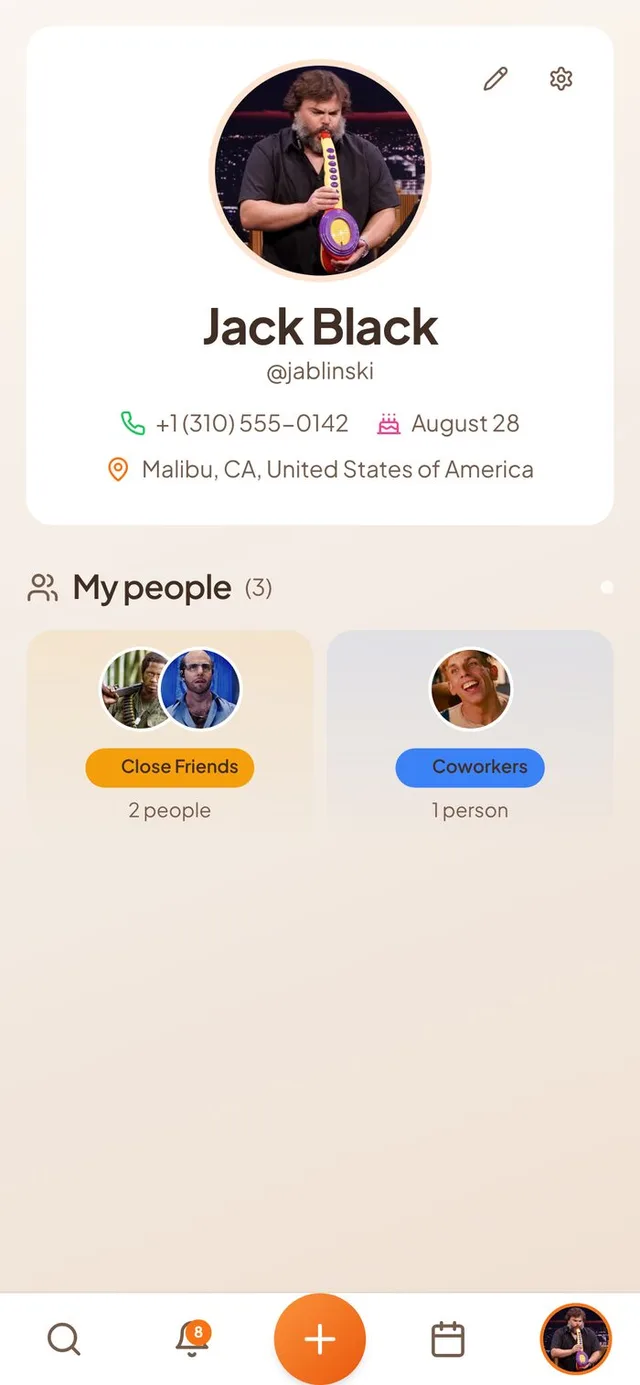
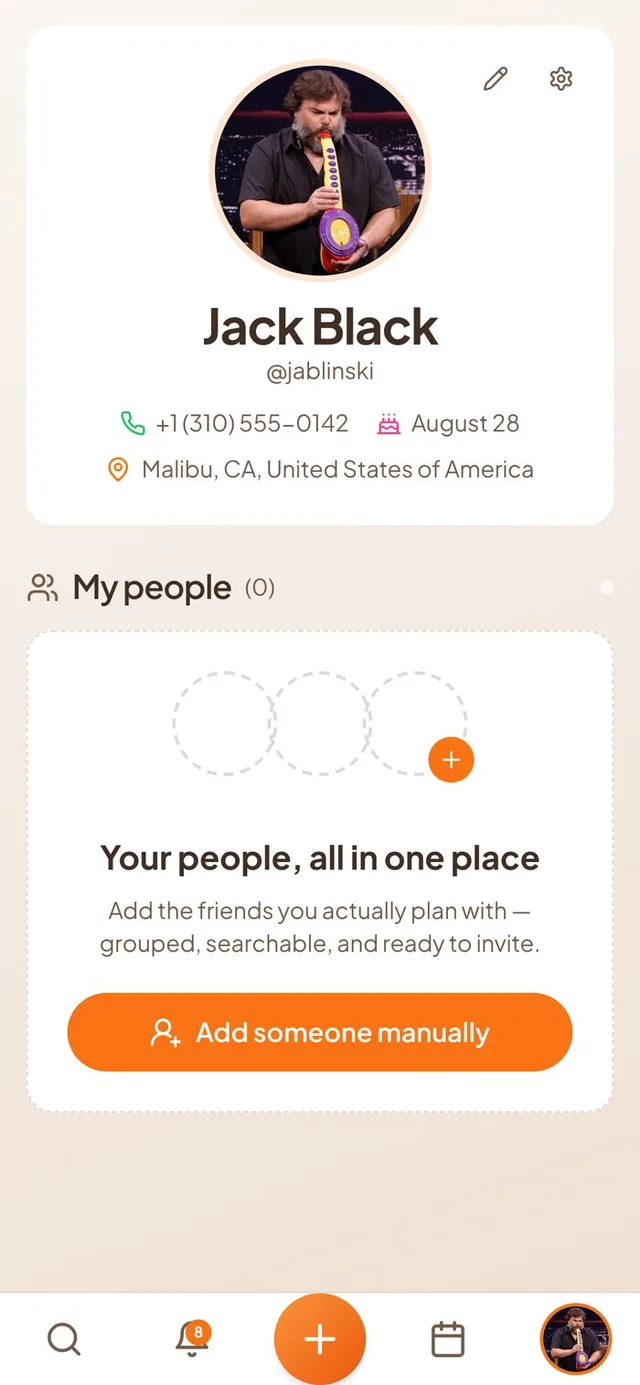
My people in clusters
Your friends and contacts used to be one long list. Now they sit in groups you can see at a glance.
- A wall of groups. My people on your profile shows each group, such as Close Friends or Coworkers, with a few faces and a count. Tap a group to open the people inside it.
- Friends and contacts together. People you added by hand can now sit in the same groups as friends who use Conmigo, and you can move them between groups.
- Search inside a group. Open a group and tap the search icon to find someone in it. Every person card has a menu button that is always visible.
- Filter by city. A row of city pills replaces the old city dropdown, and you can pick more than one.
- Find new people separately. People on Conmigo has its own search box, so you can look up someone who is not a friend yet without opening a group.
A friendlier empty My people page
A new profile no longer shows a single line of grey text.
- Your people, all in one place. With nobody added yet, you see a card with a short explanation and a clear button to get started.
- Connect contacts. On phones and browsers that allow it, you can bring in people from your contacts in one tap. If that is not possible, the card offers Add someone manually instead.
- Never stuck. If you decline access to your contacts, Conmigo opens the add person form so you can keep going.
Reminders that work offline
Event reminders on iPhone now arrive on time even when you have no signal.
- Reminders stored on your phone. Your upcoming reminders are set on the iPhone itself, so they go off on time in a tunnel or on a plane.
- Repeating events and your own reminders. Daily, weekly, monthly and yearly events keep reminding you for months ahead. Reminders you set for events you do not own work the same way.
- One banner only. You do not get the same reminder twice. If your phone already has it, Conmigo does not send another.
- Reminders stay full. After a reminder goes off, the next one in line takes its place, so newer events are not left without a reminder.
Smaller improvements
A few more fixes.
- Friend search finds people reliably again when you type a name.
- The eye button for all calendars flips every calendar at once instead of one by one.
- A moving profile picture uploads after background removal instead of showing a wrong camera error.
- Copied invite links open correctly for guests when you copy them from the iPhone app.
- Repeated group labels are gone from inside each group.
- Reminders fire closer to the exact minute you chose.