

Apr 30 to May 6, 2026
Add your own events to a friend's itinerary
Plan trips together in Conmigo. Reminders also arrive on time, and your calendar stops flickering.
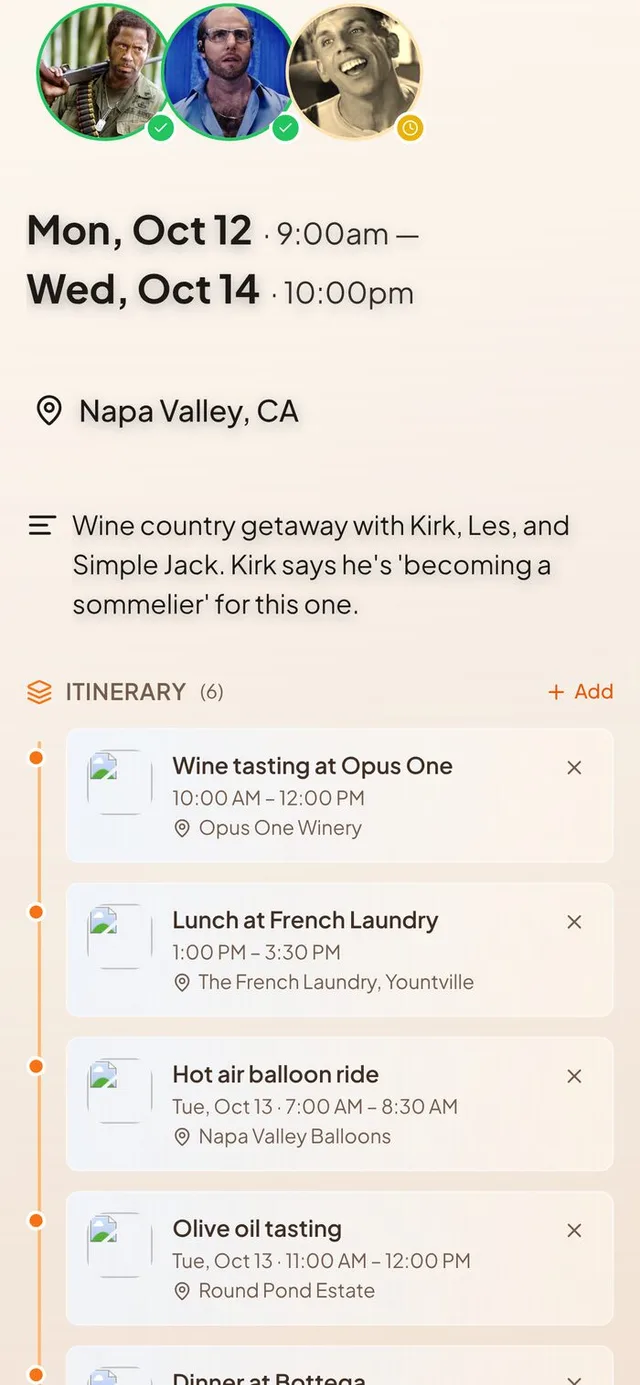
Build an itinerary together
A trip plan no longer belongs to one person.
- Add your own events. If a friend invites you to an event or shares their calendar with you in full, tap Add in its Itinerary and pick one of your own events that fits inside it.
- The host hears about it. When someone adds an event to your itinerary, you get a notification and a push. Adding an event to your own itinerary stays quiet.
- Take your event back out. If your event was pulled into someone else's itinerary, you can now remove it with the X. A message says “Removed from” and the event's name.
- Reviews stay with the place. Reviews of a venue you pick are now saved with the event, so the Reviews tab is no longer empty after you save.
Reminders that arrive
A reminder is only useful if it shows up.
- Your reminder choices save. Changes made in the reminder picker, including pressing Confirm, now stick. Before, some edits were lost.
- Late and early reminders fire. A reminder due while Conmigo was restarting now goes out when it comes back. Reminders set more than two days ahead now fire too.
- On your iPhone lock screen. Event reminders now show up right away, even in Low Power Mode or a Focus. The test notification button is gone.
- Richer desktop reminders. In Chrome on Windows or Mac, a reminder shows the event's cover picture with View event and Snooze 10 min buttons, and stays until you dismiss it. Old, dead notification links are cleaned up so the live one gets through.
Event times that stay right
The clock time you picked is the clock time you get.
- Your time zone when you create. A new event uses the time zone of the device you are on. If it differs from your home time zone, a banner offers “Use” the new one or “Keep” your home one.
- Repeating events hold their hour. A 9 AM daily event stays at 9 AM across daylight saving changes instead of drifting by an hour.
- Home time zone in Settings. You can now pick your home time zone from a list.
A calmer calendar
Fewer blank flashes, and deleting works.
- No flicker. Events no longer vanish and reappear when you change months or come back to the calendar tab. The calendar also keeps your month, view and scroll position.
- No blanks on tab return. Switching browser tabs and coming back no longer blanks your events, profile picture and weather.
- Deleting events works. Events with comments, replies, photos or check-ins now delete cleanly, and the “Unauthorized” message when deleting is fixed.
- Apple events vanish everywhere. Deleting an Apple Calendar event on one device removes it from your other devices right away.
Smaller improvements
A few more fixes.
- The weather pill is back, shows the temperature for the current hour, and uses where you are now.
- A new profile photo shows up everywhere right away, and moving picture errors now say what went wrong.
- On iPhone, the Settings close button and pop-up messages sit below the status bar.
- Connecting Google Calendar on iPhone TestFlight now finishes inside the app.
- First-time users get a step-by-step welcome with the new Conmigo logo.
- The Itinerary section stays hidden on events that have nothing in it.