

May 14 to May 20, 2026
Add your people in one tap from My people
Find friends, connect contacts or add someone by hand from one window. Plus alerts that reach you when Conmigo is closed.
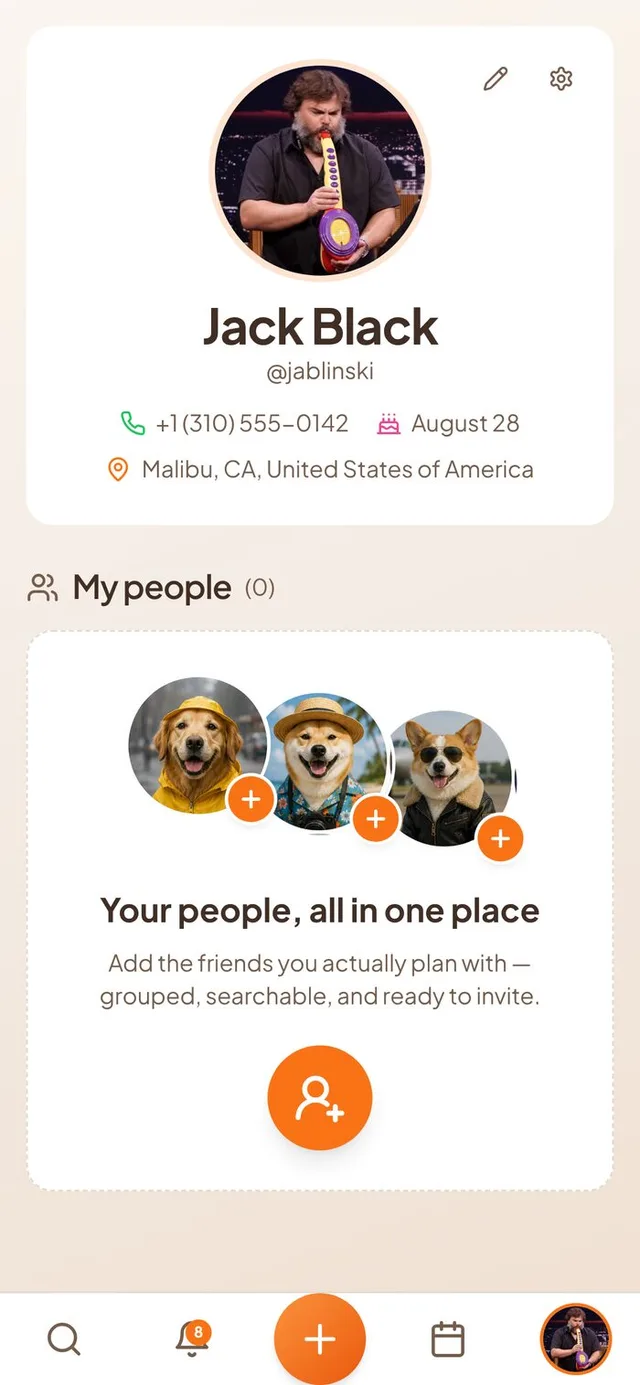
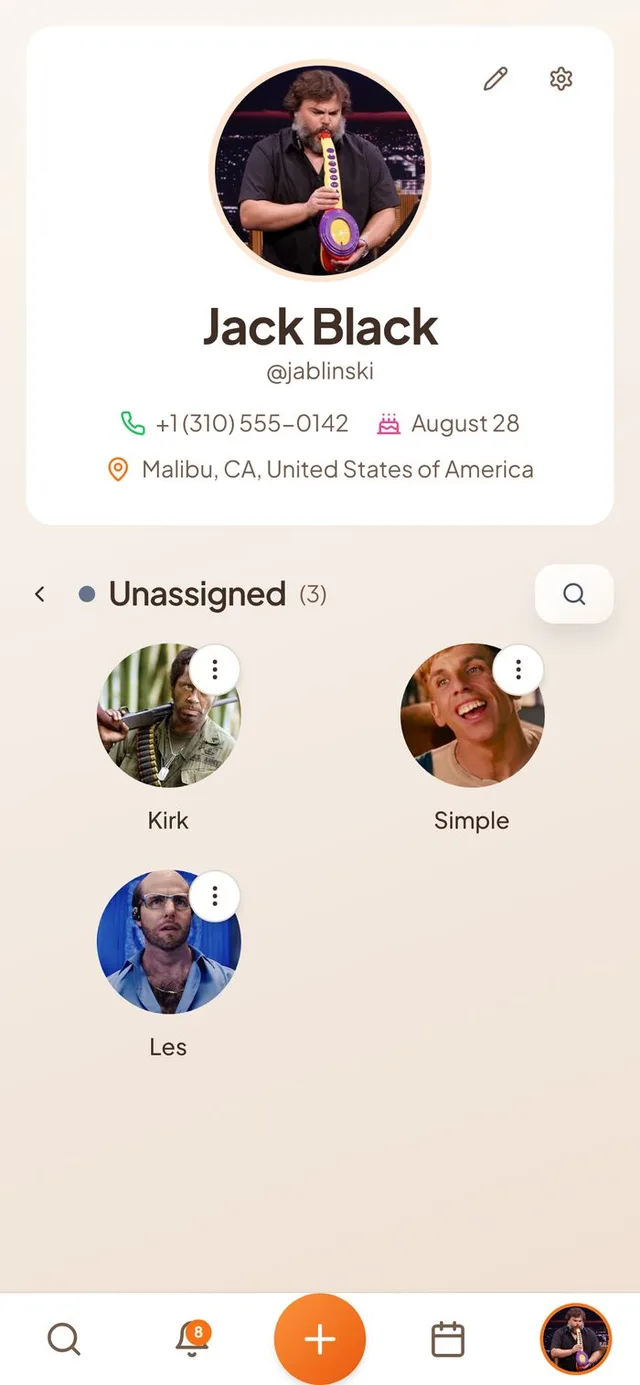
Add your people
Building your list of friends is now one button away.
- One round button. The always-open search box on My people is gone. A round orange button opens an “Add your people” window instead, with search, a “Connect contacts” choice, an “Add manually” choice and a grid of people you can add with a plus.
- A friendlier empty page. If you have nobody yet, My people shows bigger dog avatars with orange plus signs and a larger button to get started.
- A roomier grid. Open a group and your people sit in two columns on a phone and three on a computer. Names and cities show in full, and the menu button is easier to see.
- No more empty flash. Coming back to My people no longer shows the “no people yet” page for a moment before your friends appear.
Alerts when Conmigo is closed
Settings now calls this “External Notifications”: get notified when you don't have Conmigo open.
- More things reach you. You now get an alert when a friend accepts your request, asks to see your calendar, changes an event or cancels one, or comments on an event.
- Comments reach the right people. The host and every guest who said yes hear about a new comment. You don't get an alert for your own.
- Photo ready. The host gets an alert when a photo added to an event's memories is ready.
- Fewer cancel alerts. Guests who already declined an event no longer get a message when it is cancelled.
- Tap to land in the right place. Comment and cancel alerts open the event, share requests open the calendar and memory photos open the Memories tab.
Moving profile pictures
Your short profile video shows up where it should.
- In your calendar header. The small picture next to the bell and the Calendars menu now plays your moving profile.
- The right still picture. The event feed and Week view show a still from your new recording, not your old photo. Re-uploading works reliably.
- You choose when the background stays. If removing the background fails, Conmigo asks you to “Try again” or “Save anyway” instead of quietly saving a video with the old background.
Who is coming
Guest lists now match what really happened.
- Guests who reply to your link. When someone taps “Going” on your shared invite link, they now appear in the Who section of your event.
- The host shows once. Events synced from Google or Apple calendars no longer list the host twice.
- Accepted requests open the friend. Tapping “accepted your friend request” in your notifications opens that friend's profile instead of a page-not-found screen.
Smaller improvements
A few more fixes.
- Favorite friends, muted friends and chat messages are gone.
- Menus now highlight the row under your finger or pointer.
- Menu icons on My people move slightly when you hover.
- Dark mode highlights are easier to see.
- Conmigo is easier to find in search engines.