

Aug 27 to Sept 2, 2026
Set up Conmigo around Who, When and Where
A friendlier first-run setup, a tidier Settings and a Year poster you can print.
A new way to get started
Setup now follows three simple ideas: who you know, when you're free and where you live.
- Who, When, Where. The steps now run in that order, starting with you. You pick your name, your @Tag and your picture first, then add friends, connect your calendar and set your home town.
- A photo dome on every step. The colourful header is now the same photo dome you see on the sign-in screen, so setup looks like the rest of Conmigo.
- “We feel like we really know you.” Once your calendar is connected, a new last step shows what we noticed, such as your recurring routines, trips and favourite places. Nothing from your calendar is saved to make it.
- Pick your own @Tag. Your @Tag is now yours to change, with a check that tells you right away if it's taken. You'll find it under Profile in Settings.
One checklist for finishing setup
Reminders to finish setup no longer pop up from four different places.
- Everything in one card on Home. It lists your name and picture, calendar, friends, notifications, home town and inviting someone. Finished items stay on the list with a line through them, and you can dismiss the card.
- Tap a row to do it. Each row takes you straight to the right screen. The notifications row explains itself before your phone asks for permission.
- Redo onboarding. In Help & Docs, “Redo setup guide” is now “Redo onboarding.” It starts from the first screen, and redoing it no longer sends your friend another “joined Conmigo” message.
Settings, tidied up
Everything now has a clear place.
- Four groups. Account, Calendars, Preferences and Support. On phones they show as cards, and on computers as a sidebar that is always in view.
- Easier to find things. Profile is now in the menu. Your calendar pages are one step away instead of three, and both AI switches share one page.
- A Save button on your profile. Changes now wait until you tap Save, which lights up only when something changed. If you leave with unsaved edits, Conmigo asks first.
Print your year as a poster
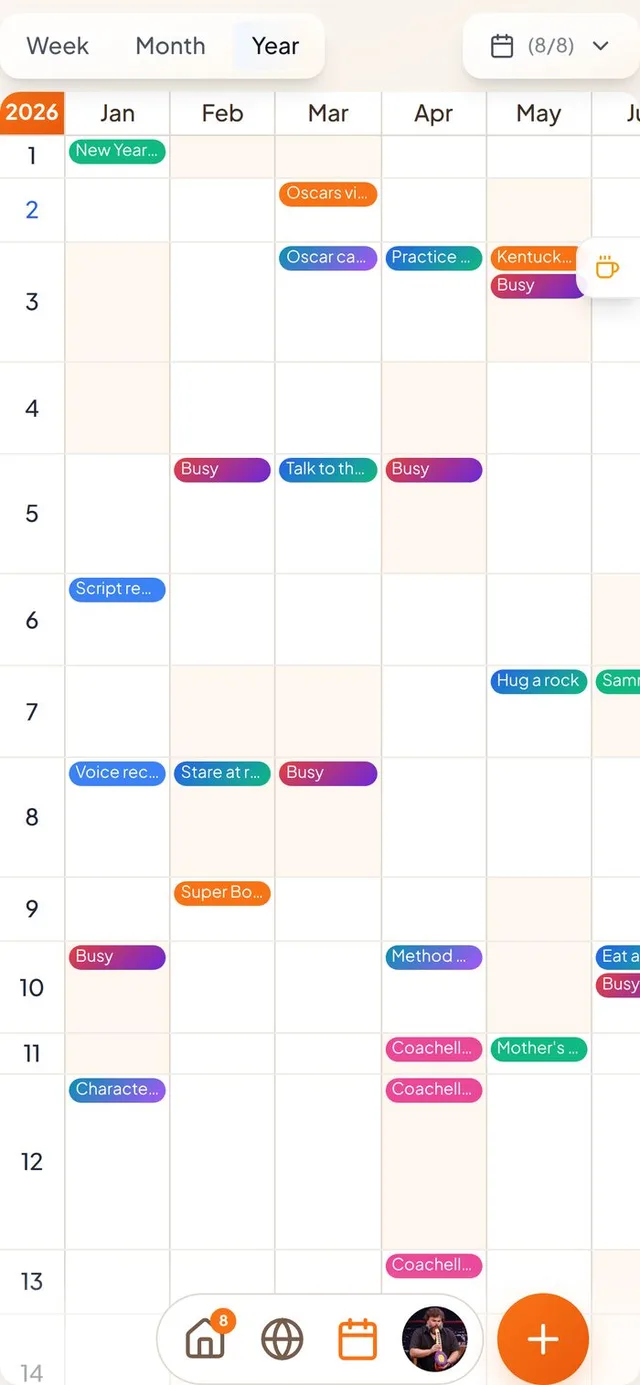
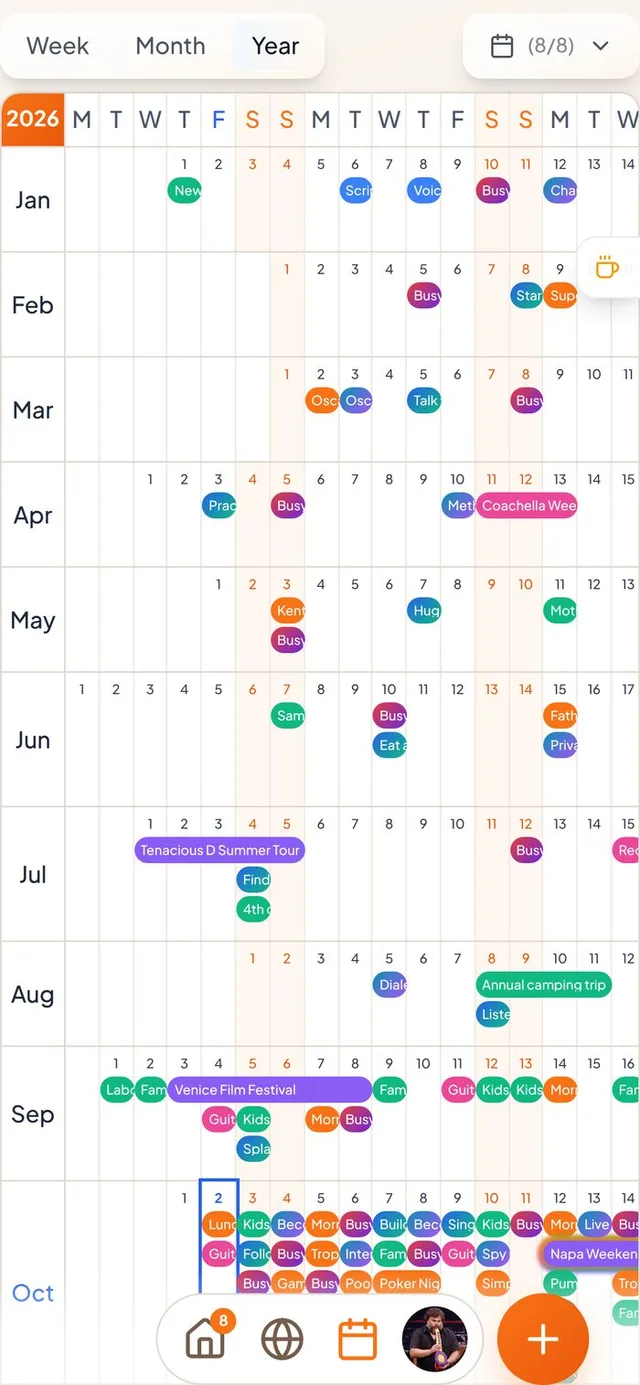
The poster layout of the Year tab can now go on paper.
- A fourth choice when you export. Pick the poster layout in the PDF export screen. It prints upright, with 31 days down the page and 12 months across.
- Events per day. A new slider limits how many events show in each day. Making the text smaller fits more on the page.
- Clearer lines in the Year tab. Month lines are now darker than day lines in both Year layouts, and they follow high-contrast mode.
Smaller improvements
A few more fixes.
- Choosing a picture during setup opens the cropping tool properly again.
- The top of your profile picture is no longer cut off in Settings.
- Diagnostics is no longer a blank page and now shows your app version.
- Delete buttons on calendar pages show without hovering, so they work on touch screens.
- New friends no longer get a “joined Conmigo” message before they have picked a name.