

Sept 3 to Sept 9, 2026
Pick an event's date and time in a tap
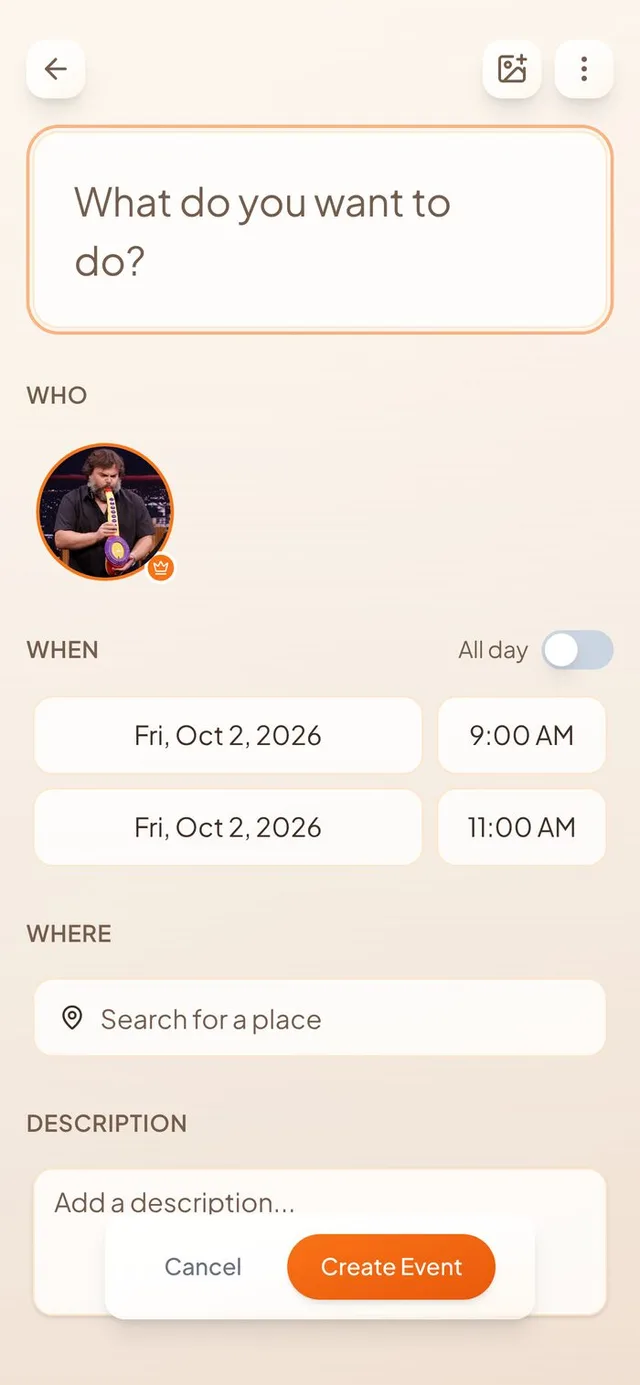
Dates and times are now separate buttons with an All day switch, and shared calendars stay grouped by friend.
A clearer way to set when
Setting the date and time of an event used to be one cramped button.
- Date and time, side by side. Each end of your event has a date button, like “Fri, Oct 2, 2026”, next to a time button, like “9:00 AM”. Tap one and pick what you want.
- All day switch. Turn it on and the time buttons go away. Your event runs the whole day.
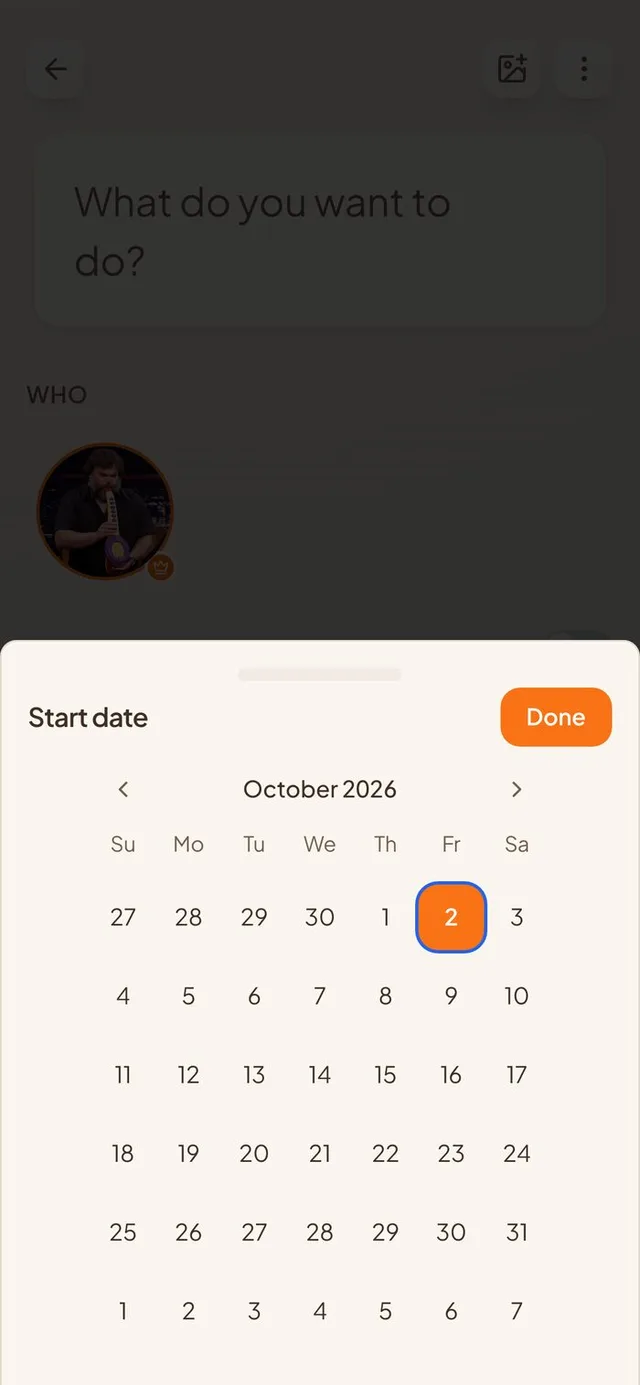
- One step after another. On a new event, the pickers open one after the other: start date, start time, end date, end time. On a phone they slide up from the bottom.
- Today stands out. Today has a blue ring, so it never disappears when you pick it. Month changes slide smoothly, and a five or six week month is no longer cut off.
Shared calendars, tidied up
Calendars friends share with you now stay together.
- Grouped by friend. When someone shares several calendars with you, they sit together under their name.
- Drag to reorder. You can now drag shared calendars into the order you like.
- No stray empty groups. A group you empty is removed. Dragging a calendar past a collapsed group no longer drops it inside.
Open events and invites
Events you open to friends now behave the way you expect.
- Notifications on every save. Turn on Open Invite and Notify connections, then save. Friends are told whether the event is new or edited. Re-saving does not tell them twice.
- Closed and silent to start. Every event starts closed and tells nobody, including events that came from Google, Apple or Outlook.
- Invite links work. Opening an invite link now takes you straight on without a flash of an error page, and you become friends with the person who sent it. Sharing no longer sends the link twice.
Smoother Apple calendar setup
Connecting a calendar takes fewer wrong turns.
- Apple events show up. Apple calendars no longer say “synced” while leaving events out. Long-running repeating events appear too.
- Everything switched on. A new account arrives with all its calendars selected. Apple connects more reliably, and a wrong password still fails right away.
- A tidier first-run flow. Every setup screen has the same header and footer. Continue waits until you have done something on screens that offer “Not now”.
Smaller improvements
A few more fixes.
- Photos in a place's drawer load faster and keep their real shape.
- Sending a friend request only spins the person you tapped.
- Holiday calendars no longer put pins on your map.
- Multi-day events show as multi-day everywhere, including the year poster.
- The year PDF puts the “+N” badge at the bottom of the day.